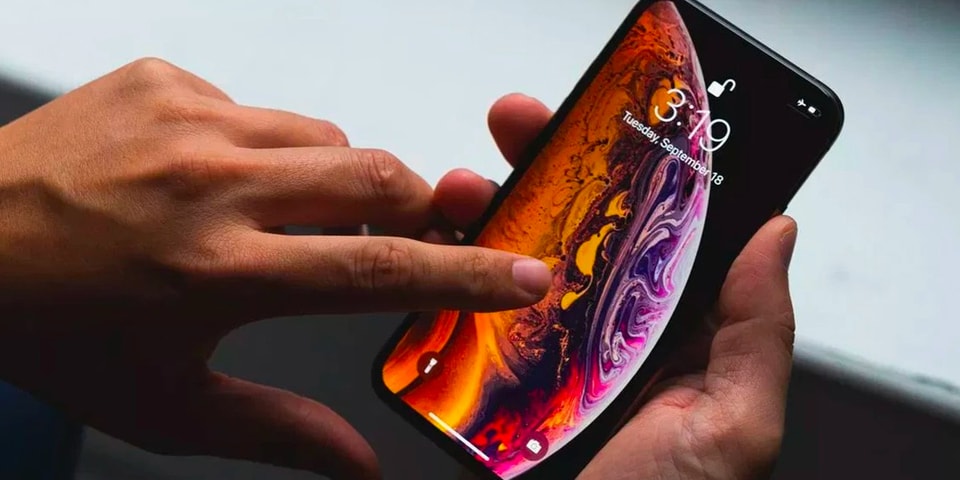
It’s long been rumored that Apple may be doing away with its 3D Touch feature with the upcoming iPhones, and now it seems the rumors have been confirmed, only that it’s not iPhone specific — it’ll be removed with an iOS update.
Sources report that a beta version of iOS 13 is now being tested by developers, and it has become apparent to them that the 3D Touch feature has indeed been removed. The removal seems to have been a long time coming: 3D Touch had encountered adoption issues ever since its launch. As older iPhones — any model prior to the iPhone 6S — did not have a force-sensitive layer on its screens, app developers were reluctant to incorporate the feature into their apps for consistency purposes, encountering the problem that they’d have to find an alternate solution for older models using the same app.
However, it still seems that 3D Touch won’t be wiped from all Apple devices just yet. The Apple Watch also uses the force-sensitive feature but isn’t faced with the same issue iPhones had, since all models of the Watch support the feature — even its very first generation. Because of that, there’s yet to be any suggestion that Apple would be removing the feature from its wrist devices as well.
Fortnite fans can download update 9.20, following a short delay.
The latest Fortnite update is accompanied by a period of downtime on PS4, Xbox One, PC, Nintendo Switch, iOS and Android.
Fortnite server maintenance is expected to run from 9am UK time until 11am UK time.
In the meantime, fans can download the new update from Epic Games.
According to the patch notes, the big new addition is the Storm Flip item.
It's described as a thrown item that explodes on impact to create a sphere-shaped zone. It will create a safe zone when it overlaps the storm, or a storm zone if it's thrown within the safe zone.
There's also a Sword Fight LTM, plus news about the Undo Purchase button, which can be used when buying select items.
The only bad news from update 9.20 is that Epic Games has vaulted Hunting Rifles.
Check out the full list of update 9.20 patch notes below...
WEAPONS + ITEMS
Storm Flip
• Thrown item that explodes on impact and creates a sphere-shaped zone.
• Where the sphere overlaps the storm, it will create a safe zone.
• Where the sphere overlaps a safe zone, it will create a storm zone.
• The Storm Flip deals the same damage as the current storm.
• The zone lasts for 20 seconds before dissipating.
• Available in Epic Rarity.
• Can be found from Floor Loot, Chests, and Vending Machines.
• Drops in stacks of 1.
• Max stack of 1.
Vaulted
Hunting Rifle all variants
While we value the variety of longer range sniping options, the Hunting Rifle has become somewhat outclassed by the Infantry Rifle after it was changed to hitscan. In addition, there are a few Sniper Rifle options available and we feel it doesn’t currently fill a necessary role in the item lineup.
Loot Carrier
• Reduced sniper package availability from 12.5% to 8.45%
• Reduced explosive package availability from 12.5% to 7.04%
• The chances of getting high-powered, rare items from Supply Drones was higher than felt appropriate, so we’ve reduced their availability slightly
Mounted turret
• Overheat now takes 20% longer.
• The Mounted Turret’s usage has decreased over time. By slightly increasing time before Overheat, the goal is to help increase its risk/reward.
• Increased max charge time on Boom Bow from 1s to 1.25s
• The Boom Bow is a bit stronger than we’d like. This adjustment should reduce frequency between shots, making misses riskier. We’d like to evaluate the impact of this change before making any additional adjustments, and it’s possible that more tweaks will be necessary if this doesn’t have the desired effect.
• The Slipstream’s audio, pink ring, and spinning blades turn off when disabled during the fifth phase of the Storm.
• Players revived from a Reboot Van will lose invulnerability upon shooting or building.
• Air Vents are now more forgiving in order to prevent fall damage when players jump on them from high places.
Fortnite Storm Flip item (Image: EPIC GAMES)
Bug Fixes
• Fixed an issue in which weapons that previously had no ammo would be unable to be automatically reloaded.
• Fixed an issue where players would take fall damage after exiting a Baller quickly rolling downhill.
• Aim assist can no longer be used to fire at players using a Shadow Bomb.
• Fixed an issue where players could damage teammates who were disconnected from the match.
• Fixed an issue where the Flying Disc Toy would get caught on Ballers in mid-air.
• Fixed an issue where Slipstream audio and visual FX would continue to occur after the player exits.
• Fixed an issue where Air Vents’ sound and visual effects occurred more than once.
• Fixed an issue in which Driftboards were unable to exit Slipstreams.
• Exiting a vehicle that had entered a Slipstream no longer causes players to skydive.
• Vending Machines no longer become unusable when a player using one gets eliminated.
• The Flint-Knock Pistol is now consistently able to knock targets and the shooter the correct distance.
• Dynamite audio no longer gets stuck on a loop during replays.
• The lava bounce visual effect no longer persists if a Baller bounces from lava to water.
LIMITED TIME MODE ROTATION:
SWORD FIGHT
• Treasure chest contain Epic or better weapons as well as the occasional Infinity Blade! Fight your opponents to find out who is worthy of the Blade… and who is not.
GAMEPLAY
• Auto Swap Material option was removed and is always on.
• Removing the option allowed us to optimize Auto-Swap behavior, primarily reducing rare cases in which materials did not swap properly.
• Increased duration for how long elimination credit can be granted to the last damager.
• Fall damage from 15s to 60s
• Self-elimination from 15s to 60s
• Storm elimination from 5s to 60s
• Added support for foot controller devices to the Accessibility options.
• Adjusted Invert Aircraft Controls setting info to better describe the option.
Bug Fixes
• Gamepad custom build controls now consistently allow players to turbo build when using the ‘Place’ action while simultaneously having the ‘Stair,’ ‘Wall,’ ‘Roof,’ or ‘Floor’ action bound.
• Players outside closed enemy structures can no longer build inside them.
• Fixed an issue in which the destruction of a building could be interrupted by reconnecting it to its base.
• Fixed an issue in which players would hang in the air if they disconnected during the bus drop phase.
• Certain Fortbytes requiring a specific cosmetic item now correctly unlock for players who have it equipped.
AUDIO
• Updated reload sounds for weapons to be mono instead of stereo. This will help with spatialization improvements for weapon swap sounds.
Bug Fixes
• The storm damage sound effect no longer ends prematurely.
GENERAL
• Banner Icons- Updated from 256×256 to 512×512
• Standard Type – 31 large graphic types updated
• Battle Royale – 17 large graphic types updated
• Console players can now access language options through the Settings menu.
• Players can now choose a setting on the “Account” tab to opt out of player surveys.
• Updated main menu lobby to be the same as the Battle Royale lobby.
• We made some initial polish adjustments to the new lobby with a plan to iterate over time and update the theme across the front-end.
Bug Fixes
• Fixed videos not looping on PS4.
• The question mark icon in the Settings menu now fully fills in the box.
Fortnite Hunting Rifles have been vaulted (Image: EPIC GAMES)
UI
• We’ve added the ability to Undo a new purchase to the Fortnite Store!
• Immediately after you make a new purchase you will be able to Undo this item purchase for a limited time as long as you stay on the purchase screen.
• After you Undo a purchase, there will be a cooldown on using Undo on that same item, but you will be able to Undo any other new purchases!
• If you choose to Undo a purchase, the ownership of that item will be revoked and you will be granted back the appropriate V-Bucks.
• Undo will follow the same eligibility requirements as Return Requests.
• What can Undo be used on?
• Items available for purchase with V-Bucks in the Item Shop
• Emotes
• Gliders
• Harvesting Tools
• Back Bling
• Outfits
• Wraps
• Music
• What can Undo not be used on?
• Limited Time Offers in the Store such as Lava Legends Pack, Frozen Legends Pack, and The Laguna Pack
• V-Bucks
• Gifting
• Battle Pass
• Battle Pass Tiers
• Founder’s Pack
• Founder’s Pack Upgrades
• Loot Llamas (Save the World)
• Event and Weekly Items (Save the World)
• Players in your squad now have a stronger visual highlight when actively speaking.
• We no longer display Active Voice Indicators in-game for players that are in your squad.
• We adjusted this to retain the improved visibility of speaking players that Active Voice Indicators provide while making it easier for you to immediately get contextual information (e.g. health and shield status) for the person speaking.
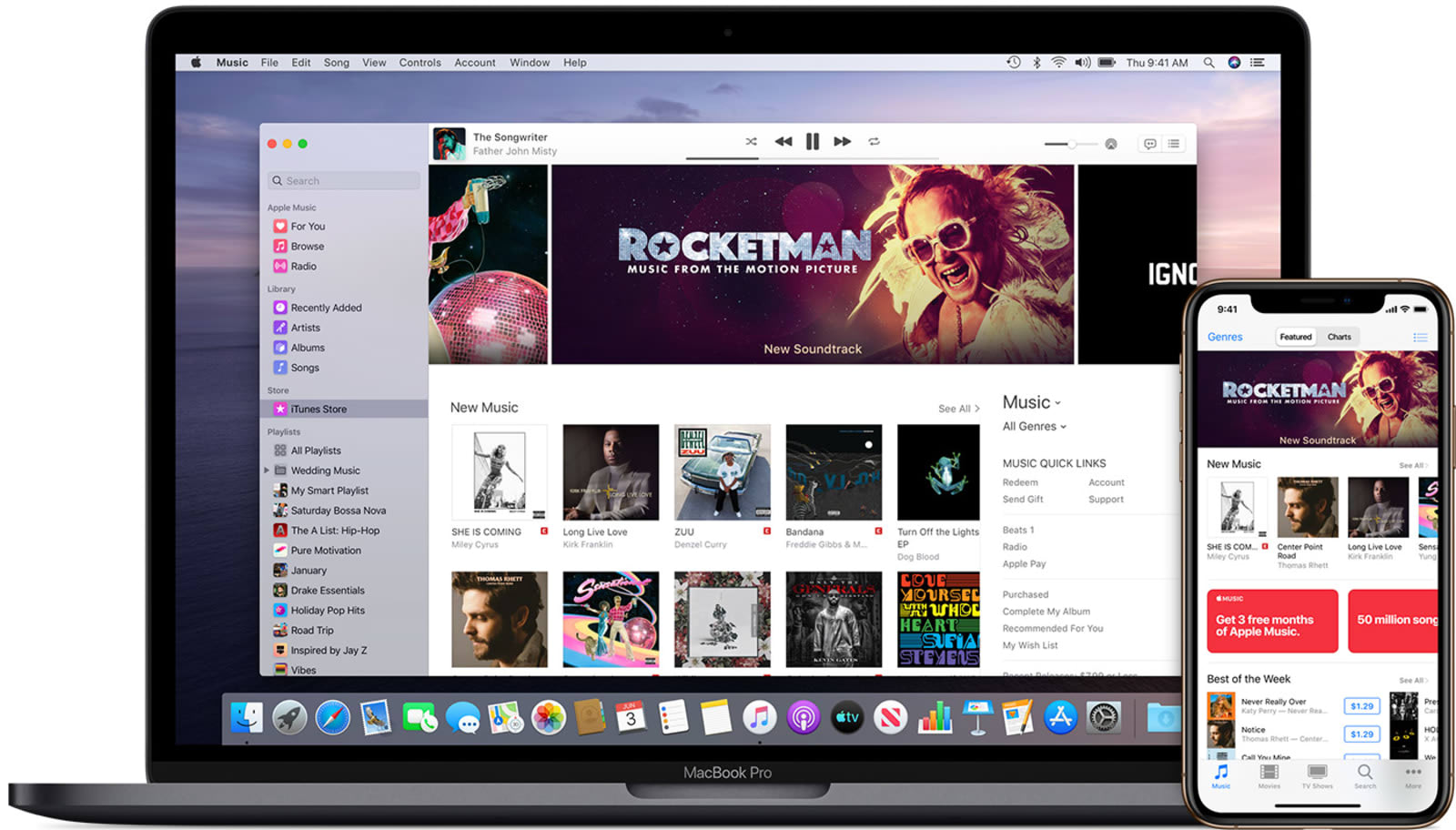
At WWDC, Apple announced that its upcoming macOS will put an end to the iTunes you're familiar with and will divvy up its features between three new apps: Music, TV and podcasts. Now, the tech giant has explained how that will work exactly. The new Apple Music app will serve as home to all the music you've imported or purchased, to all the music and smart playlists you've created in iTunes, as well as to the iTunes Store itself.
You'll still be able to purchase music from the store on Mac, iOS, PC and Apple TV. Plus, you can still use your iTunes gift cards or credits with the new apps. Meanwhile, the new TV app will contain all the movies and TV shows you've purchased or rented from iTunes -- in the future, you can purchase or rent from within the app itself.
All your podcasts will live in the new Podcast app, of course, while your audiobooks will make their way to the updated Apple Books app. You'll also be able to purchase audiobooks from within the Books application. Finally, the abilities to back up, restore and sync iPhones, iPads and iPods, will move to Finder. Apple says that will make it easier to drag and drop files to your devices and that your previous back ups through iTunes won't be affected after you update to Catalina.
At WWDC, Apple announced that its upcoming macOS will put an end to the iTunes you're familiar with and will divvy up its features between three new apps: Music, TV and podcasts. Now, the tech giant has explained how that will work exactly. The new Apple Music app will serve as home to all the music you've imported or purchased, to all the music and smart playlists you've created in iTunes, as well as to the iTunes Store itself.
You'll still be able to purchase music from the store on Mac, iOS, PC and Apple TV. Plus, you can still use your iTunes gift cards or credits with the new apps. Meanwhile, the new TV app will contain all the movies and TV shows you've purchased or rented from iTunes -- in the future, you can purchase or rent from within the app itself.
All your podcasts will live in the new Podcast app, of course, while your audiobooks will make their way to the updated Apple Books app. You'll also be able to purchase audiobooks from within the Books application. Finally, the abilities to back up, restore and sync iPhones, iPads and iPods, will move to Finder. Apple says that will make it easier to drag and drop files to your devices and that your previous back ups through iTunes won't be affected after you update to Catalina.
The Pokemon Direct that aired on June 5 showed off a new trailer and more details for Pokemon Sword and Shield. One of those new details was a bit unclear; the trailer and subsequent clips showed Pokemon roaming the overworld, similar to Let's Go Pikachu and Eevee, but we also saw a random-style encounter in the tall grass. So, are there going to be random encounters or not?
From what we can tell so far, it seems like random encounters are mostly, if not totally, gone. The Direct showed a variety of Pokemon roaming the overworld, much like in the Let's Go games. You encounter these wild Pokemon in something called the Wild Area, which refers to the expanse of nature between cities; in the Wild Area, you'll encounter different Pokemon based on your specific location and the weather. You initiate battles with these Pokemon by running into them, though some will chase you down once they spot you.
Click To Unmute
Pokemon Sword And Pokemon Shield - Official Reveal Trailer
Size:
Want us to remember this setting for all your devices?
The Direct also showed a more typical wild Pokemon encounter in the tall grass. As it turns out, you have some control over these encounters as well. A small exclamation point will appear in the grass, indicating that a Pokemon is there, and then you can initiate the battle by running into it--just like with the Pokemon that physically appear in the overworld. It's unclear if there are any occasions where Pokemon will attack you totally at random and as a surprise, but it seems like that's unlikely. We've reached out for clarification and will update this story once we hear more.
For more news from the Pokemon Direct, see our explanation of the new Dynamax mechanic and all the new Galar Pokemon. Pokemon Sword and Shield are set to release on November 15; you can learn more about that in our pre-order guide.
In the future, you might be able to ask Siri to play your Spotify music and podcasts. According to MacRumors, iOS 13 and iPadOS will open the SiriKit framework to third-party music, podcast, audiobook and radio apps. So, when it comes to playing DJ, Siri will be able to control more than your Apple Music, Podcast and TV apps -- formerly known as iTunes, RIP.
This could be good news for Apple customers who have, for instance, carefully crafted Spotify playlists. But, it's now up to third party developers to make their apps work with Siri. In March, Spotify filed a complaint claiming App Store rules give Apple an unfair advantage. According to MacRumors, Siri's inability to integrate with Spotify was one of the main issues.
Regardless of how that drama plays out, we'll have to wait for this new, more welcoming Siri. While the first iOS 13 and iPadOS betas were released Monday, the public betas won't launch until July, and we'll have to wait until September for the full software update to rollout.
Tim Cook, chief executive officer of Apple Inc., listens during an American Workforce Policy Advisory board meeting with U.S. President Donald Trump, not pictured, in the State Dining Room of the White House in Washington, D.C., U.S., on Wednesday, March 6, 2019.
Al Drago | Bloomberg | Getty Images
Apple is being sued by developers who claim it uses its "abusive monopoly" power to force them to pay a high commission rate for sales of apps through the App Store.
The lawsuit, filed Tuesday, comes as Apple and other big tech companies like Google and Facebook face mounting antitrust scrutiny, including a potential probe from the U.S. Department of Justice, according to Reuters. The Supreme Court recently ruled that consumers could bring a different lawsuit that argues the company inflates the price of iPhone software by taking a 30% commission on app sales.
In the new class-action complaint filed in the San Jose Division of the U.S. District Court for the Northern District of California, the developers complain they have "no choice" but to sell their apps on Apple's App Store.
"[F]rom the outset, Apple attained monopoly power in the U.S. market for iOS app and in-app-product distribution services by slamming the door shut on any and all potential competitors. And it has barred the door ever since," the complaint said.
The plaintiffs, iOS developers Donald R. Cameron and Pure Sweat Basketball Inc., said in the lawsuit that the 30% commission Apple takes on sales of paid apps and in-app products is "supra-competitive" and that developers have no choice but to pay the $99 annual developer fee to sell in Apple's marketplace.
The argument is similar to that of Spotify, which has filed its own complaint against Apple with European Union antitrust regulators. Spotify has accused Apple of anti-competitive behavior through the use of its commission fees, which it says helps favor Apple's own music streaming service over rivals'. Apple responded to Spotify's complaint by saying it creates a safe and secure marketplace for app developers, which is why it takes a cut of app sales.
In response to a request for comment on the lawsuit filed Tuesday, Apple pointed to the new website it launched touting the App Store's openness to competition. On the site, Apple calls the App Store, "A store that welcomes competition," and gives examples of several apps and services that compete with its own.